PORTFOLIO // PROJECT
PRTF Range
Database
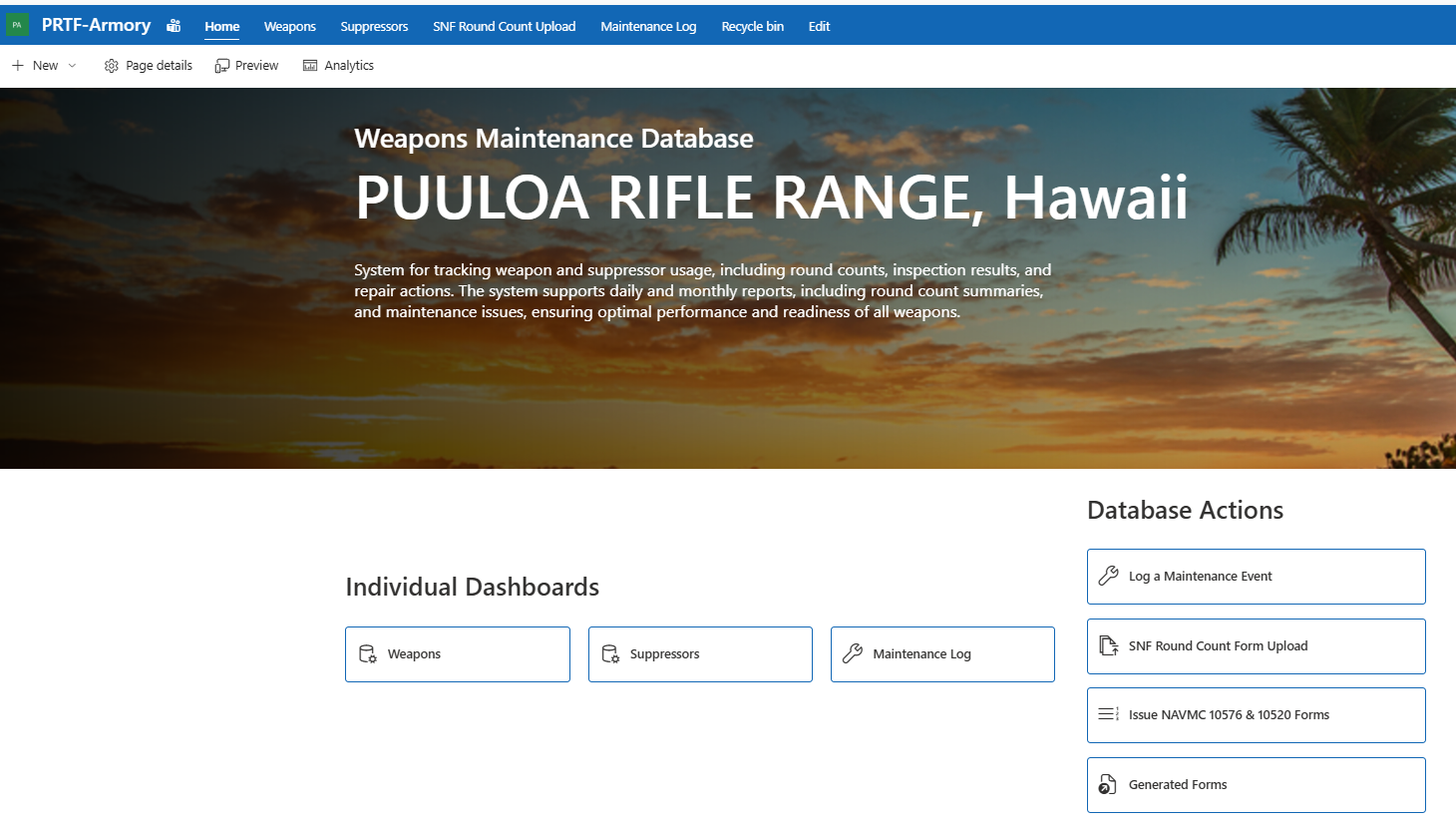
A zero-additional-software-cost Microsoft 365 logistics database for Puʻuloa Range Training Facility that automated weapon issuance, suppressor tracking, offline range round-count collection, PDF form generation, and Power BI readiness reporting.
Built as a contract deliverable for Web Business Solutions Inc. under a compressed ~30-day timeline, using only Microsoft tools already available in the customer environment: Power Automate, Power BI, SharePoint, Excel, and Office Scripts.
SEC 01 // PROJECT OVERVIEW
A contract database deliverable, built in-house in 30 days.
WBSI was responsible for a contract requirement that included a database deliverable for range operations: a system to track weapon maintenance history, round counts, inspection results, repair-related information, and usage trends — while maintaining weapon and suppressor accountability, generating official issuance documentation, and presenting readiness status through an easy-to-use reporting interface.
I served as the primary developer and integrator, translating that requirement into a working Microsoft 365 solution. The system turned a paper-heavy, spreadsheet-driven process into a structured, automated database and dashboard — designed around the way range and armory personnel already work, functioning within the customer's restricted Microsoft environment, and supporting offline data collection because range personnel have no internet access while physically on the range.
SEC 02 // THE PROBLEM
Paper forms, custody cards, offline ranges, and manual reconciliation.
Before this solution, the customer relied on manual processes across multiple disconnected pieces: Marines filled out paper NAVMC 10576 forms, carried NAVMC 10520 custody cards, conducted range activity offline, and range personnel manually reconciled round counts against weapons and users afterward. That meant inconsistent data entry, delayed reporting, limited visibility, and extra administrative workload.
The goal was a practical database and dashboard connecting these activities: who was issued a weapon, what suppressor was associated with it, how many rounds were fired through each weapon system, its current usage status — and whether that weapon should be treated as green, yellow, or red based on use and readiness logic. And it all had to respect the real constraint that a normal online SharePoint form or Power App couldn't be the only entry method, because the range has no internet.
SEC 03 // THE SOLUTION
Three layers, all Microsoft 365.
Instead of a custom application or a purchased database platform, the system uses existing Microsoft capabilities in a structured way — SharePoint as the database, Power Automate as the engine, Power BI as the readiness picture.
DATA LAYER
SharePoint Database
Structured lists model the domain: weapons as distinct assets (type, serial, rack number, status), serialized suppressors tracked at weapon-level accountability, non-serialized accessories, a full issuance record (Marine, unit, weapon, suppressor, card number, inspection and bore/stock condition at issue and recovery), range events tying uploads back to the master data, and thresholds powering green / yellow / red readiness logic.
AUTOMATION LAYER
Power Automate Engine
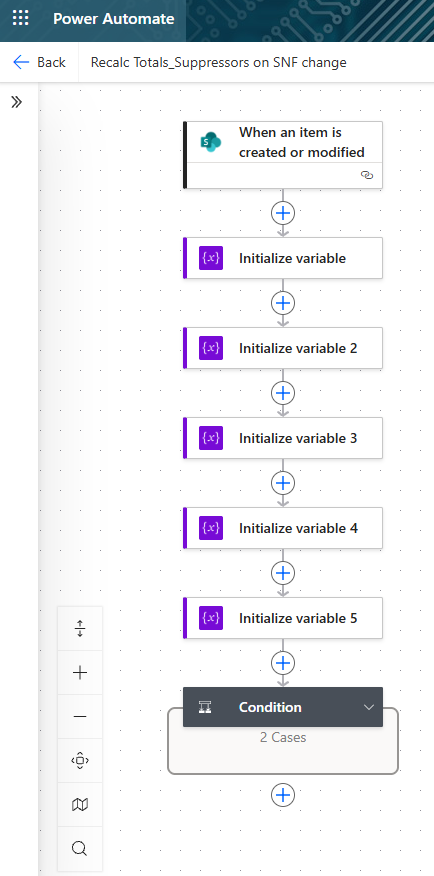
Flows connect the SharePoint data layer, Excel templates, uploaded range files, and reporting products. Issuance data populates NAVMC 10576 and 10520 templates automatically — Excel files structured with hidden FormData tables feeding visible printable layouts through INDEX references, so the customer keeps familiar form layouts with far less manual preparation. Ingestion flows process uploaded range files and recalculate totals when records change.
REPORTING LAYER
Power BI Readiness
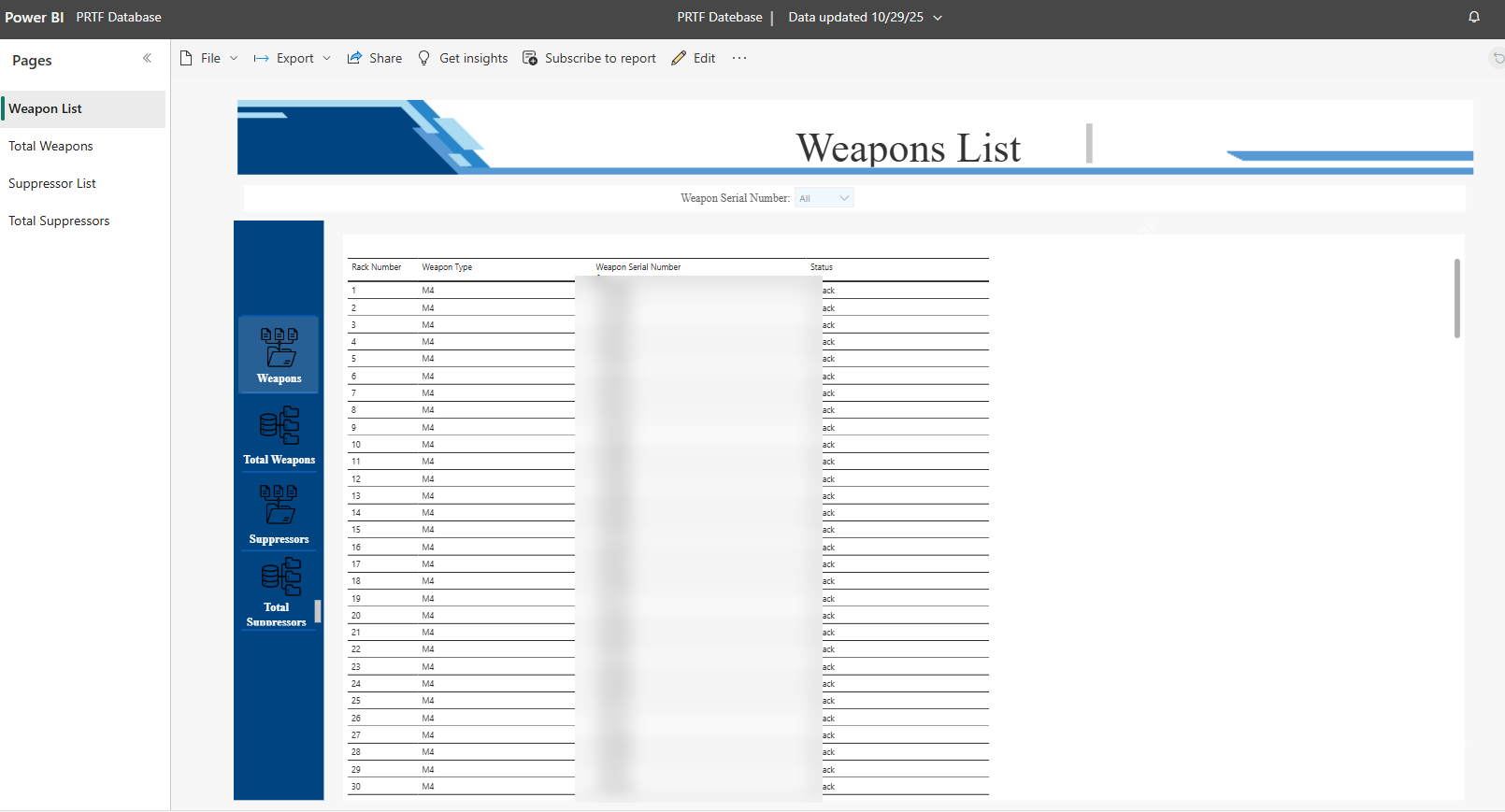
An interactive dashboard surfaces weapon readiness status, suppressor status, total rounds fired, usage history, range events by date, issuance history, and individual weapon drill-downs. The green / yellow / red logic turns raw round-count and issuance data into actionable information: which weapons are in good standing, which are approaching a threshold, and which need attention.
SEC 04 // THE WORKFLOW
Built around how the range actually operates.
STEP 01
Issue
A Marine completes the NAVMC 10576 memorandum receipt — name, grade, EDIPI, unit, weapon, accessories, inspection data.
STEP 02
Card
The Marine receives a NAVMC 10520 ordnance custody card and keeps it for use at the range.
STEP 03
Fire
On the range — with no internet — personnel record rounds fired on an offline Excel form: serials, zero day, holds, quals, totals.
STEP 04
Upload
Back on the office network, the completed range form is uploaded into the system.
STEP 05
Process
Power Automate ingests the file and ties usage back to the correct weapon, suppressor, and custodian.
STEP 06
Generate
Official-style NAVMC forms populate automatically from templates — consistent documentation, less manual completion.
STEP 07
Evaluate
Thresholds run green / yellow / red logic against round counts and usage.
STEP 08
Report
The Power BI dashboard gives armory personnel and leadership the readiness picture without spreadsheet digging.
SEC 05 // DELIVERY & VALUE
Zero software cost. Thirty days. Internal capability proven.
The project required more than technical development: requirements interpretation, operational understanding, database design, automation logic, testing, troubleshooting, and customer-facing delivery — working directly with the customer to convert their real process into a functional system. A significant portion of the work was performed outside normal working hours to meet the compressed timeline.
No new database platform, third-party application, or external development tool was purchased. Based on roughly 170–225 hours of advanced Microsoft 365 automation, database design, Excel engineering, scripting, Power Automate development, Power BI work, testing, and troubleshooting, the internal labor value was approximately $16,000–$28,000 — a real cost-avoidance win, and proof that WBSI could answer a technical database deliverable with internal capability and existing tools. The result is also a repeatable model for future Microsoft 365-based operational databases.
- $0additional software cost
- ~30days from discovery to delivery
- 170–225hours of design, automation & BI work
- $16–28Kestimated internal labor value delivered
SEC 06 // SKILLS DEMONSTRATED
Skills demonstrated
SEC 07 // PROJECT SUMMARY
Executive summary
This project demonstrated my ability to take an undefined contract deliverable and turn it into a working operational system. I built a Microsoft 365-based logistics database that connected forms, range data, weapon accountability, suppressor tracking, automation, and BI reporting into one integrated solution. The work required technical depth across Power Automate, Power BI, SharePoint, Excel, and Office Scripts, while also requiring the ability to understand the customer's operational process and deliver a product that matched their real workflow — at zero additional software cost, within a compressed timeline.